If you're managing hundreds of devices located in different locations, it could be hard to manage. Screener made this easy through 'Locations'.
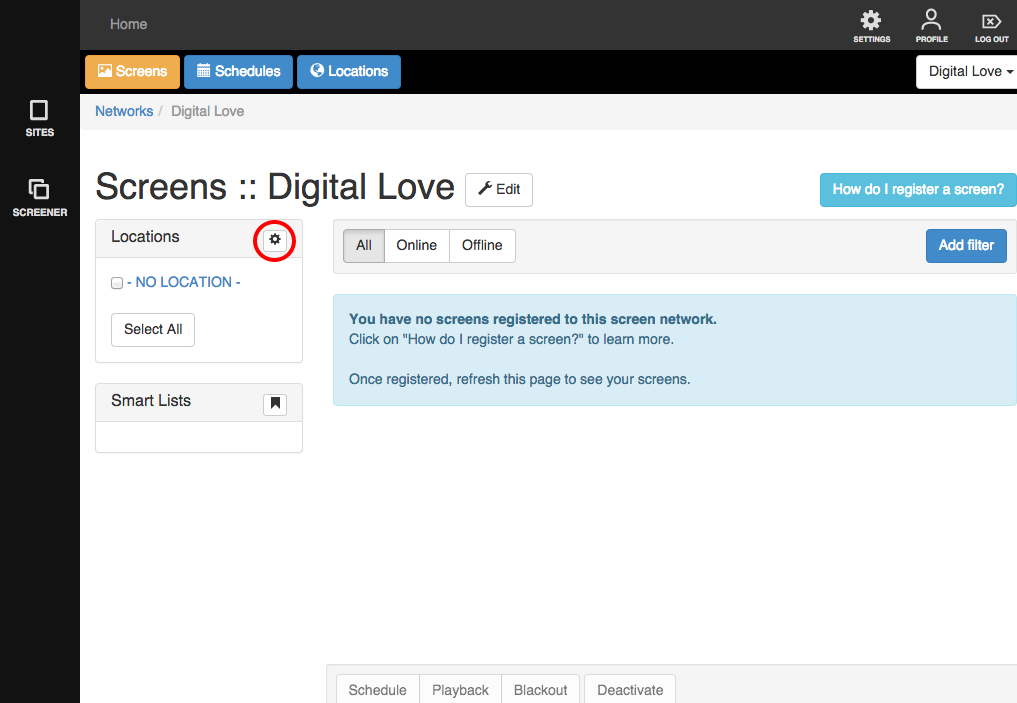
1. To set up a Location, click on the little cogwheel icon beside Location.
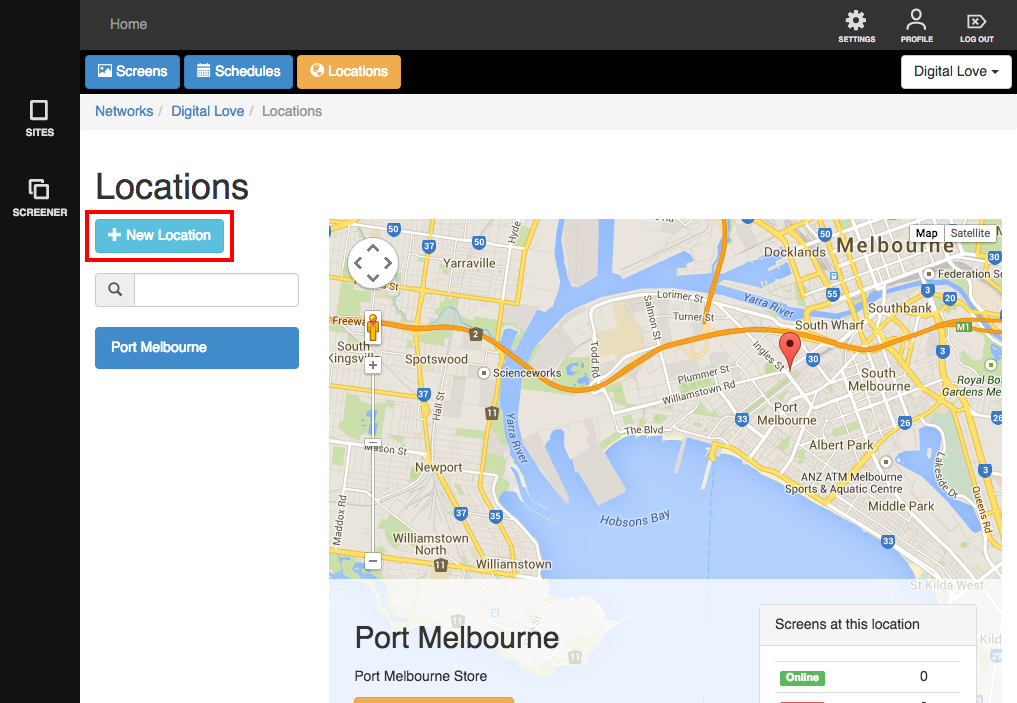
2. You will be brought to this page. Click on the '+ New Location' button.
3. A lightbox will appear. Fill it up with the necessary details:
- Name - of the location
- Latitude
- Longitude
- Description
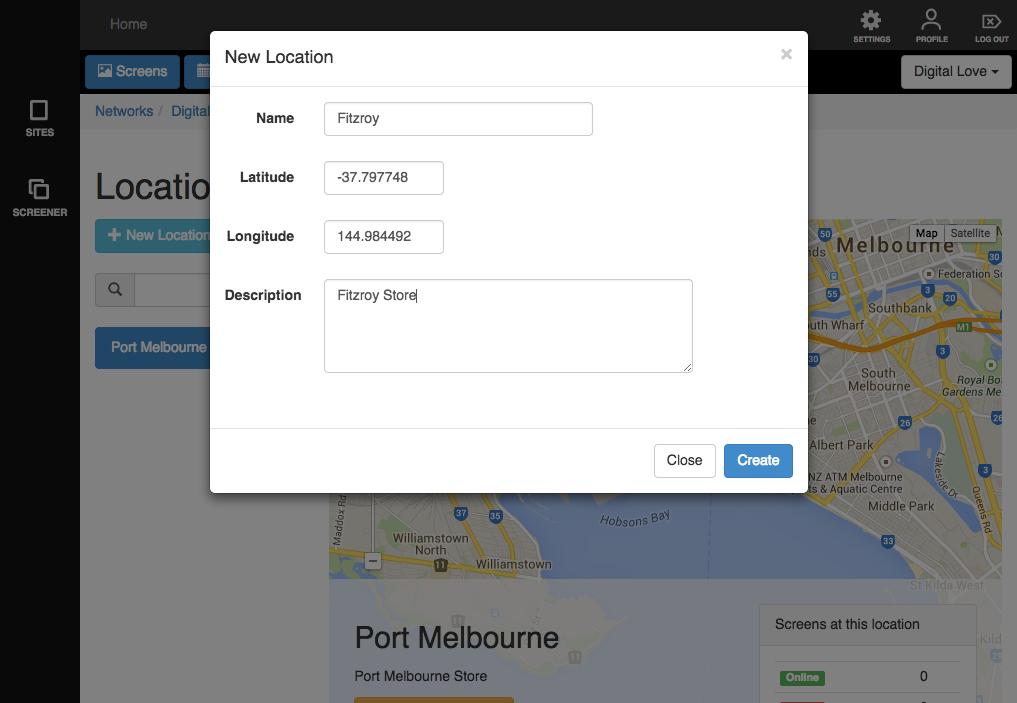
4. When you're done, click 'Create'
Voila! Your new location has been added to the map.
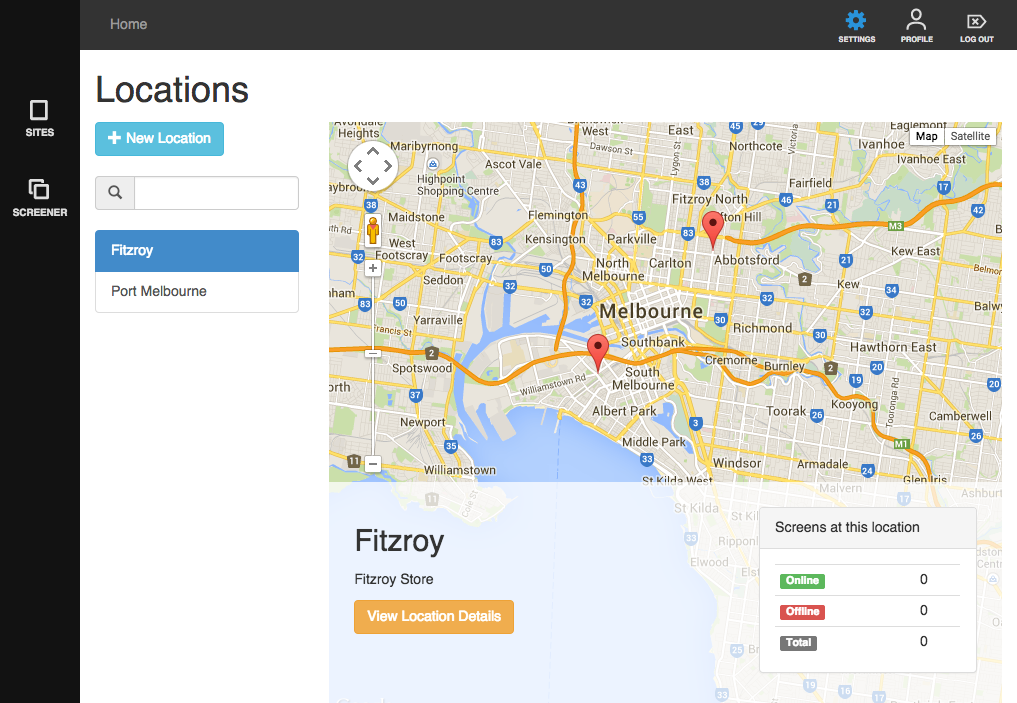
All locations set up are listed on the left side of the map. Clicking on the names will show you how many devices are online and offline.
Related articles:
Assigning your device to a location
Changing your device's location
Editing a location