If you need to move your device from one location to another... perhaps because the device has been physically moved or maybe you made a mistake placing it in one of the other locations, here are the steps:
1. While on your screen network dashboard, click on the location where the device is located.
2. Click the check box beside the name of the device you wish to move. You can select and move multiple devices at the same time too if you want.
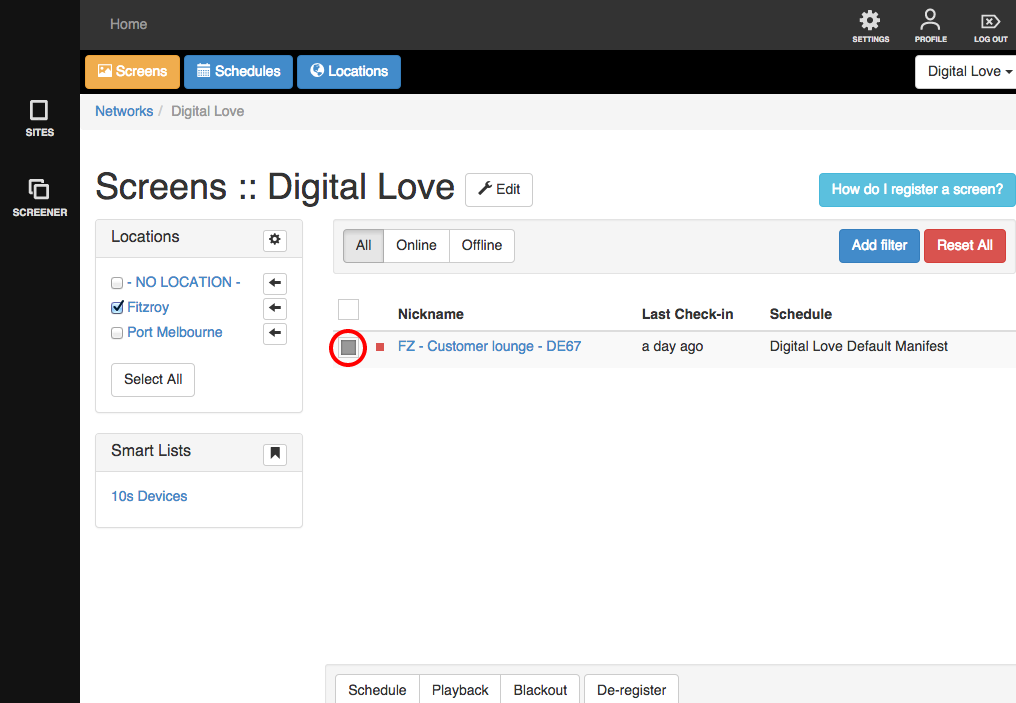
3. Arrows will appear beside the name of the available locations. Click on the arrow beside the name of the location you wish to move the device to.
A notice will appear, telling you that the change is done.
