Here are the steps to change the schedule playing on your device using schedules you’ve already created:
1. Tick the box beside 1 or more of your device's nicknames in your Screen Network.
2. Click 'Schedule' at the bottom of the screen. A lightbox will appear.
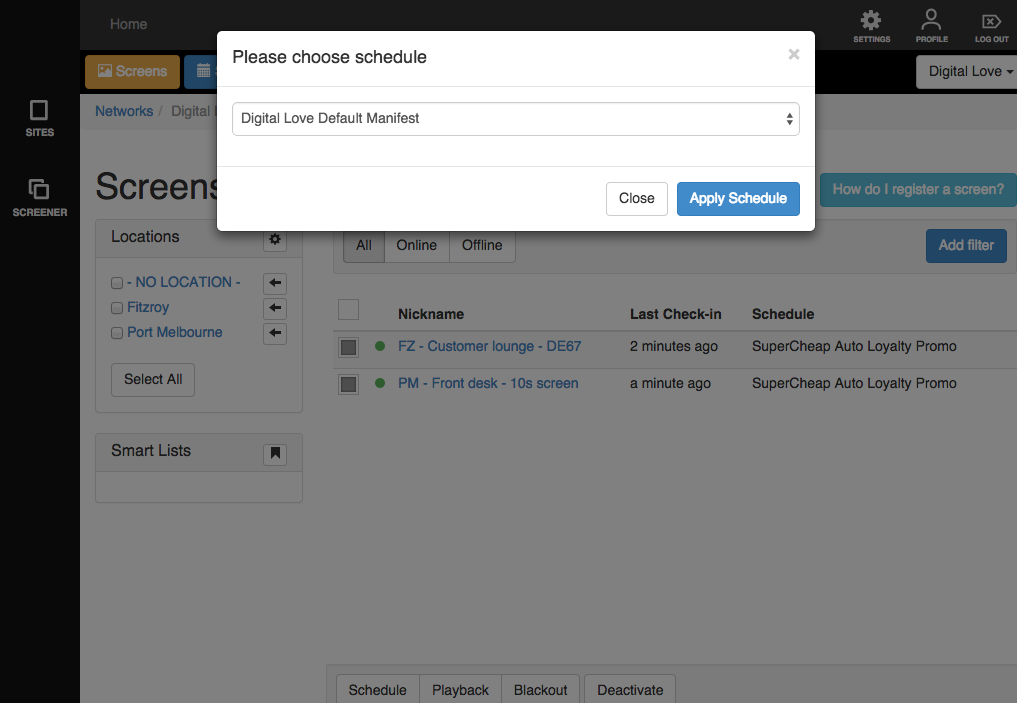
3. Click on the drop down menu and choose a schedule.
4. Click on the 'Apply schedule' button.
It will take a few minutes for the new content to appear on the device. This depends on the internet connection speed.