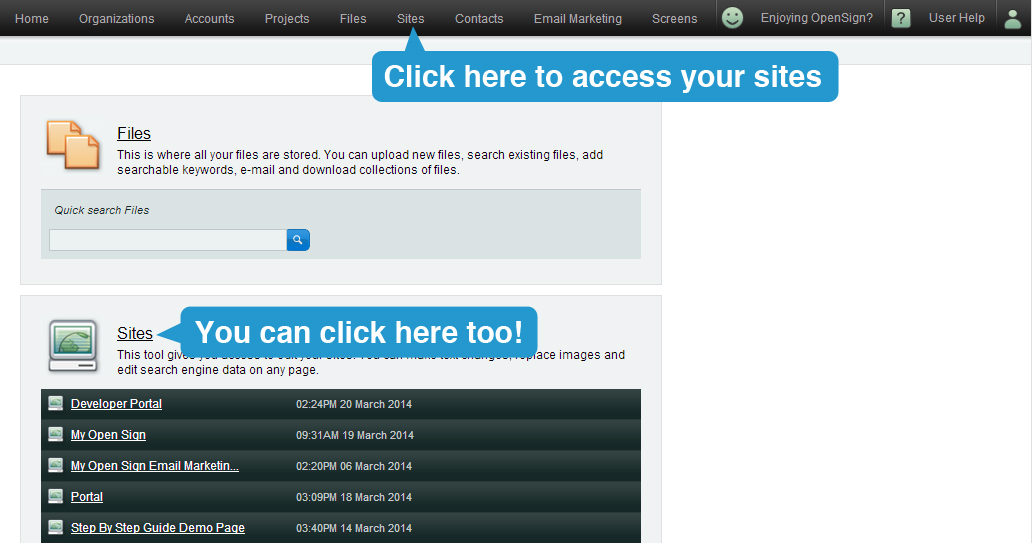
To begin, go to the Sites Manager section of Publisher by clicking on the "Sites" link at the top of the screen, or the one in the Sites tool on the Dashboard.
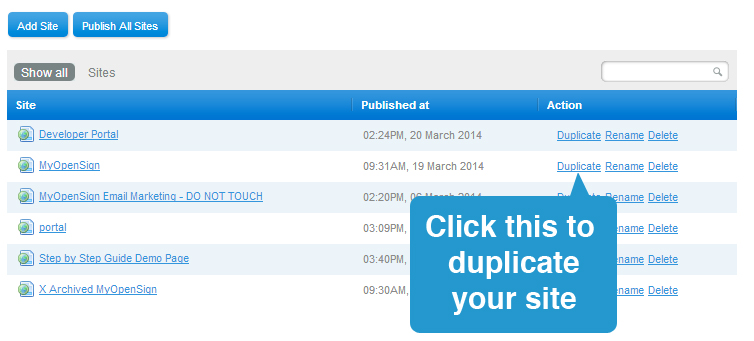
Once you are at the Sites Manager section, look for the name of the site you wish to duplicate. On the right side of it, click on the "Duplicate" link.
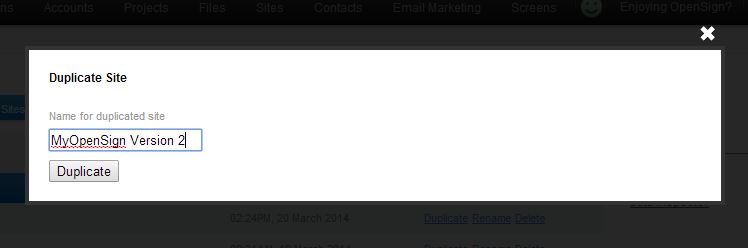
A lightbox will appear, asking you for the name of your duplicate site. Type the name on the text box and when ready, click the 'Duplicate' button.
A notice will appear at the bottom saying...

In a few minutes, you should find your new site listed under Sites Manager.
Please remember that duplicating a site may take some time; it depends on the number of pages and assets found on the original site.