Welcome to your new Android® device!
This device is fully equipped to display your digital content to the world and can be prepared for use in just a few minutes.
This device is fully equipped to display your digital content to the world and can be prepared for use in just a few minutes.
- Plug the device into a power outlet using the power cable provided. The power plug is located on the bottom of the device. A screwdriver is required to access to power.
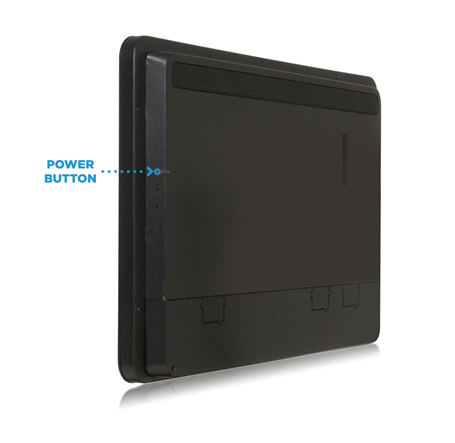
- Turn your device on using a paper-clip. Insert the paper clip into the hole located on the right hand side of the screen and hold down the power button.
- Once the screen turns on, release the Power button.
To Reboot: Do the Hourglass swipe on your device, enter your screen network password and choose 'Reboot Device'. If this is not possible, please contact Support so they can remotely reboot this for you. Please do not reboot through the power button of the device without Support's go signal. In case you have permission to reboot through your device, do a double tap of the power button with the paper clip.