Files is the section in Publisher where you store, manage and distribute your files. All Files are stored under a Project, though the same file may be copied into several Projects.
1. From your Dashboard, click on 'Files'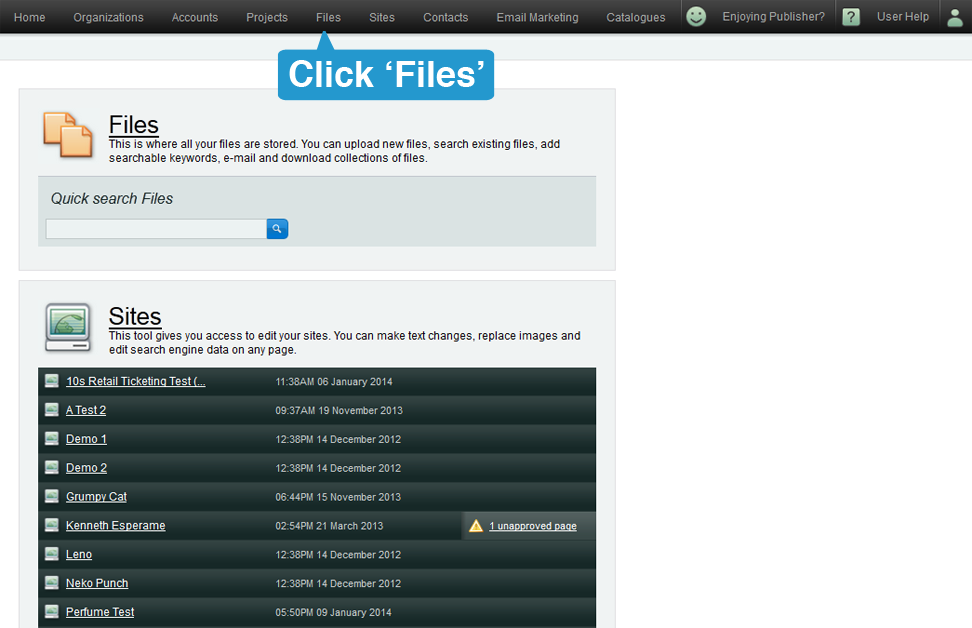
Files will store almost any file type including;
- Documents: MS Word [.doc], Excel [.xl], PDF [.pdf] etc
- Images: .jpg, .tiff, .bmp, Sound [.wav] ect
- Video: .mov, .avi, .mp4, etc
- Artwork: Photoshop [.psd], Illustrator [.ai], Indesign [.indd] etc

Editors and Publishers only see files stored in Projects they are assigned to.
Administrators will see all files, across all projects.
Note: if you have just created a Project, it will not display until you have uploaded a file.