Editing a project is an administrator-only function.
1. From your Dashboard, click on 'Projects'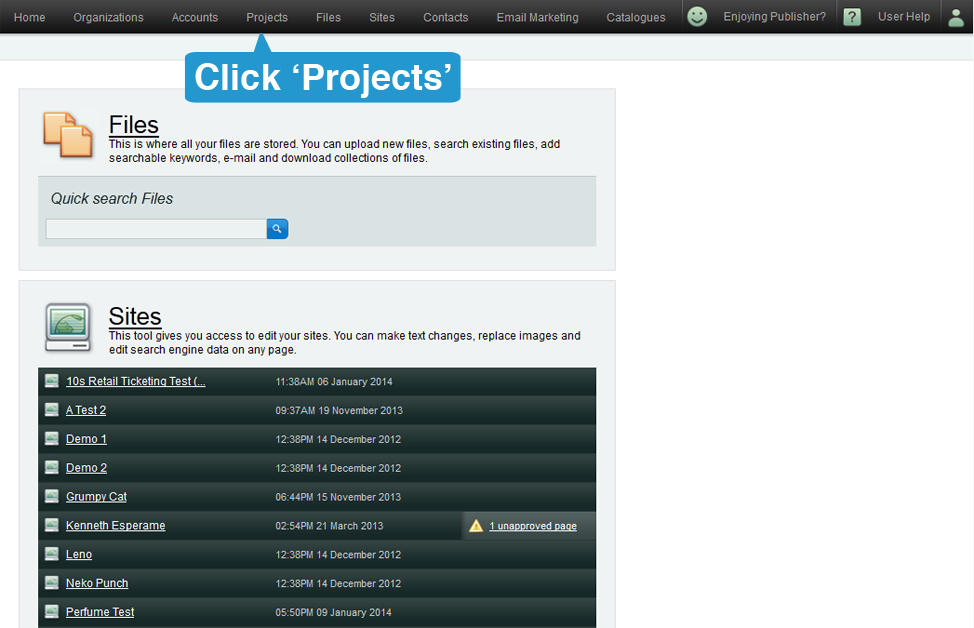
2. Once in the Projects screen, select the project that you wish to modify.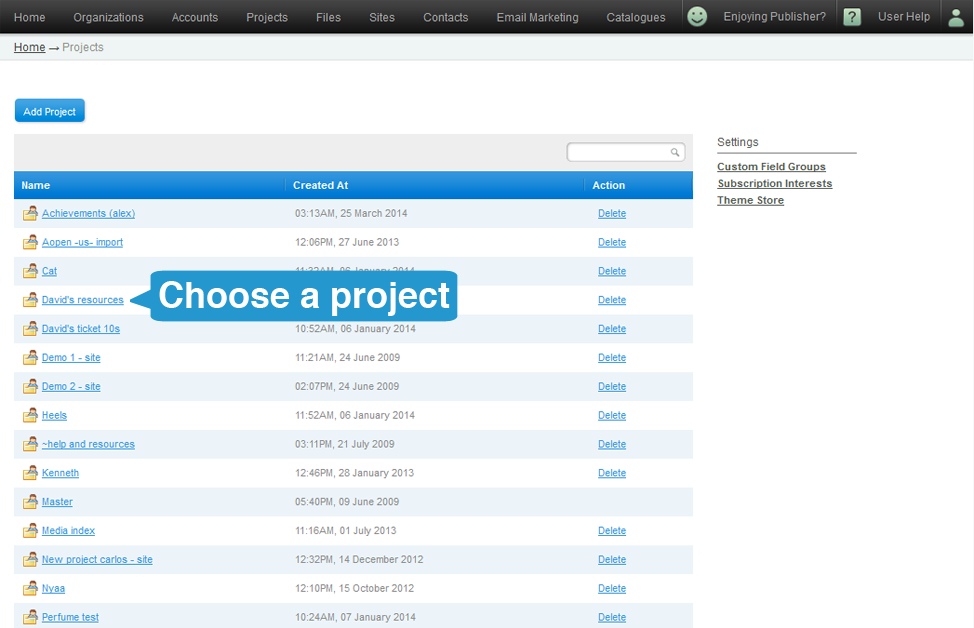
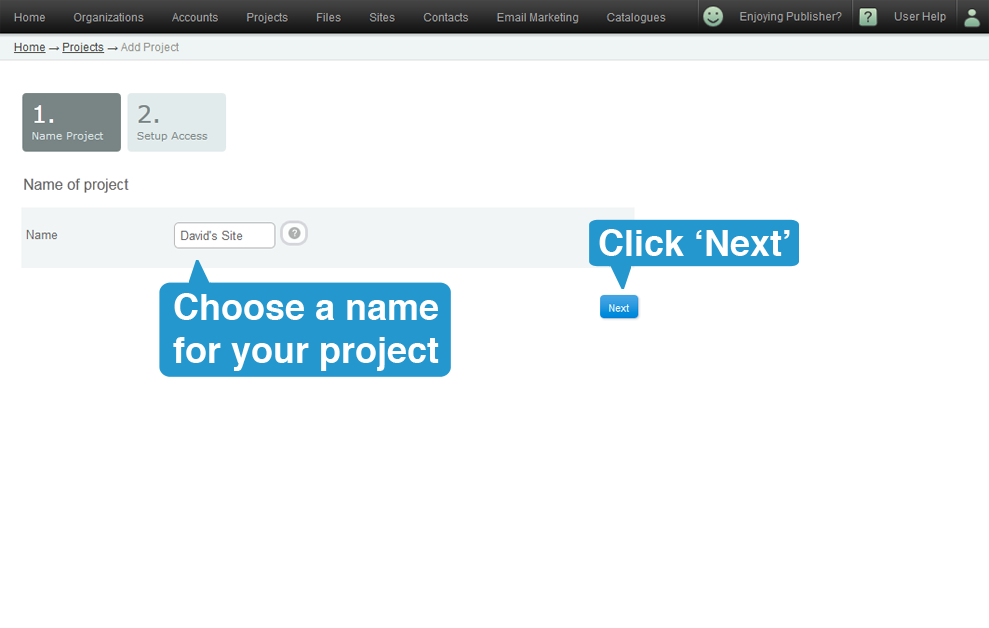
3. If required, edit the name of the Project. Click next afterwards.
4. If required, you may add or remove Editors and Publishers. Click on 'Update Project' to finish.
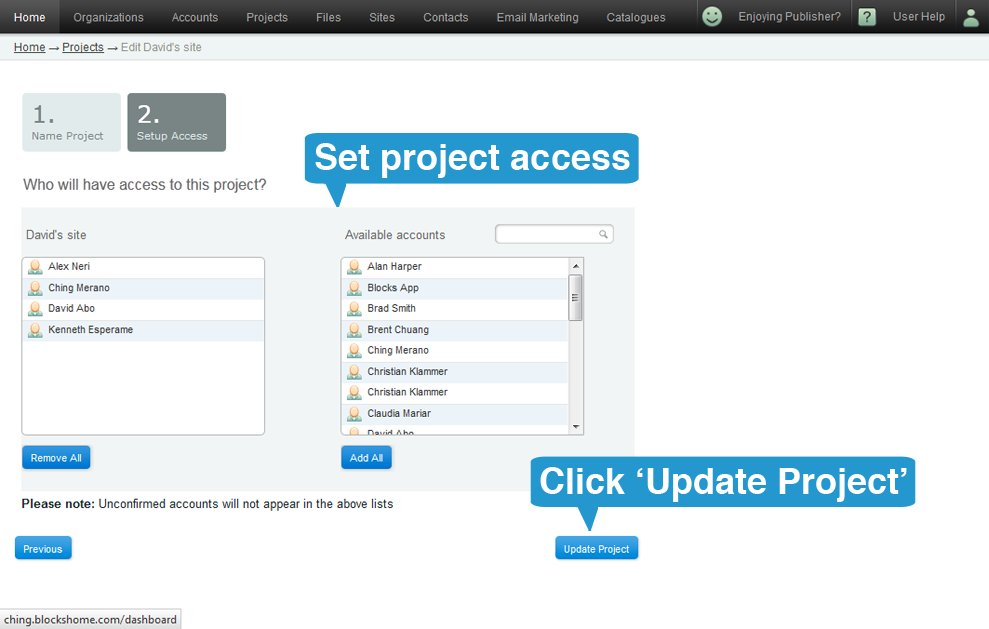
5. You will be taken back to the projects page where you will see your updated project.