To gain access to your account, an Administrator must first create your account and determine your level of access via the Users area in Publisher.
You may be granted access as:
- Administrator - Admin users have full access to every feature* within the platform.
- Publisher - Users can access files, sites, contacts, email marketing, catalogues and screens with ability to publish changes. Publishers will only see the projects that they've been assigned to.
- Editor - Editor users can access files, sites, contacts, email marketing but cannot publish or approve changes. A Publisher or Admin user will need to approve their changes.
*Although rare, some high-level features require even higher access - Contact support for further details.
When the Administrator creates your account, you will automatically be sent an email from app@myopensign.com with the subject "Confirmation Instructions". You must click on the "Confirm my account" link in the email to activate.
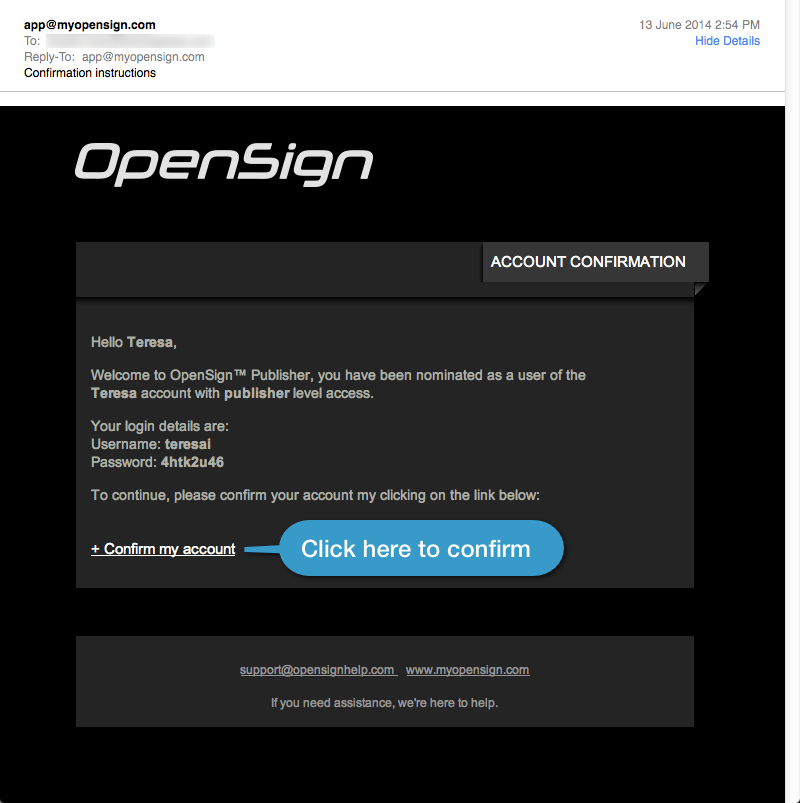
Clicking this link will also automatically let you access your account so you can start creating and editing your sites.
Tip: Take this opportunity to change your password to something easy to remember.
Click here for more information on how to change your password.
What if you haven't received the "confirmation instructions" email?
Firstly, check with your administrator that they have used the correct email address – not surprisingly this is the most common reason.
Secondly, check your email's spam or junk folder.
If neither of these options work then please contact Screener Support.