Meta data are HTML attributes that provide relevant information about the site or a page to search engines. The meta title and the meta descriptions are commonly used on search engine result pages (SERPS) to show preview snippet of a page.
Publisher offers some simple yet powerful tools to optimise your search engine ranking, so that your site is easier to find by users and web crawlers.
The following steps will give you the best opportunity of being found online.
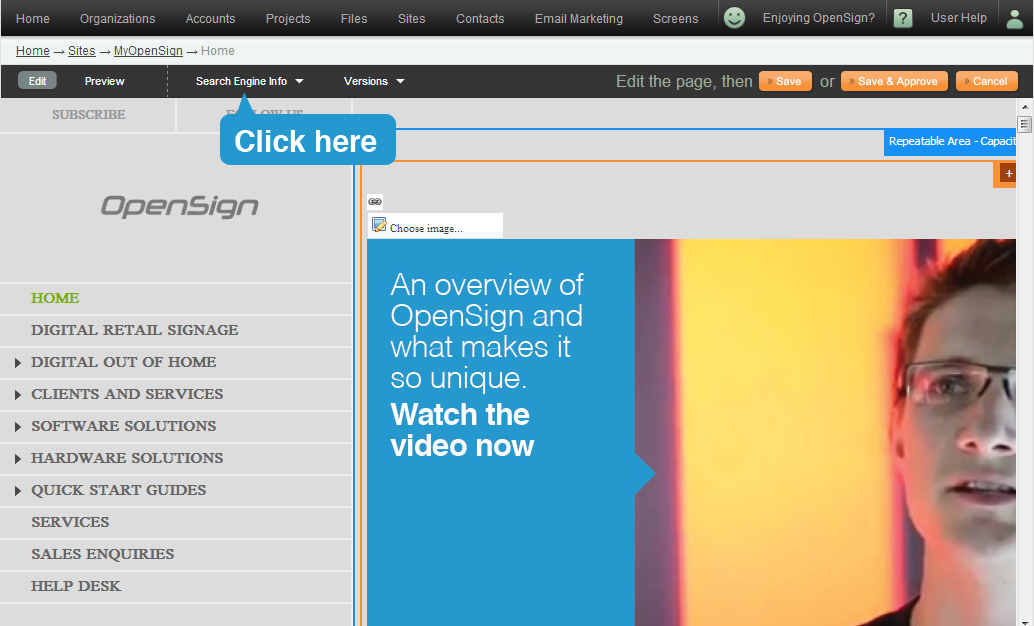
To start, click on "Search Engine Information".
Page Title
- Differs to Page Name at Step 1 for "Add a Page", as this is the name that people will see at the top of their browser.
- By default the page name is listed in the page title field.
- Best approach to SEO will differ from one company to another, however page naming generally follows the order of Page name, Key phrase - then Brand ie "Ladies Shoes - Comfortable Ladies Shoes, Discount Ladies Shoes - YourCompany Melbourne".
- In terms of SEO ranking, Page Title is the most important element on the page.
- Each page should be named individually, ie "Contact Us - YourCompany".
Page Keywords
- These are words or short phrases, 2-4 words long that someone would type to find you.
- Choose phrases that are relevant and specific to the page, ie "comfortable ladies shoes"
- Only have 2-3 keyword phrases per page.
Page Description
- This is a short description of page that will display in the search results page of a search engine such as Google.
- Should only be approximately 2 sentences / 20 words long.
- Must be specific to page, ie "Contact us at YourCompany for all your queries".
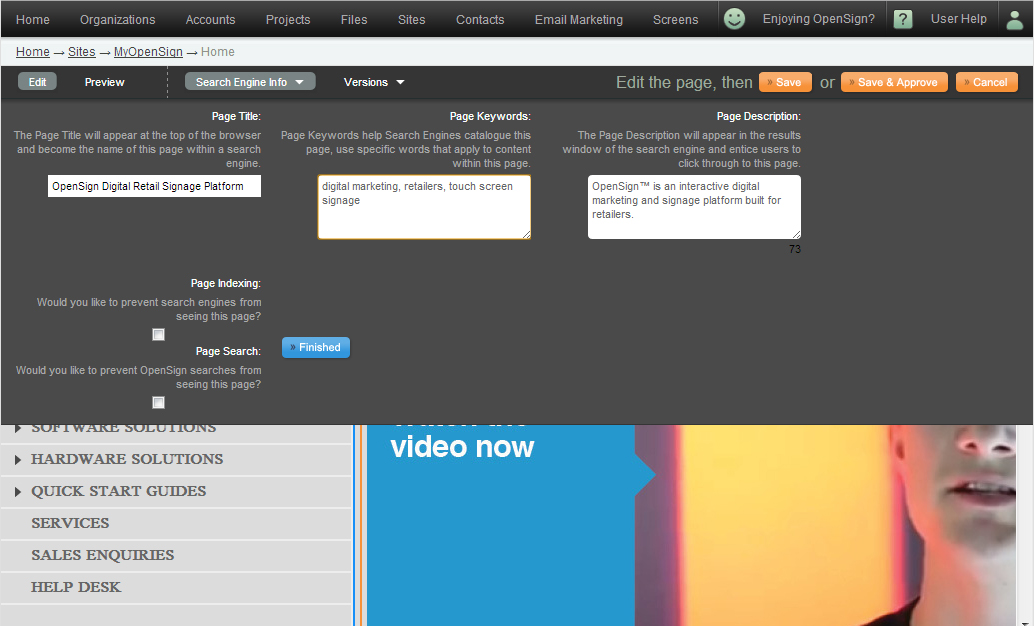
Page Indexing <-- if you tick this check box, Publisher will prevent Search Engines like Google from seeing your page.
Page Search <-- if ticked, Publisher will prevent searches from done within the Publisher to see this page.
Click on "Finished" when all done.