Widgets in Publisher websites are place holders for a specific type of content you want to appear across your site(s). The widget may be a banner, text, or both, but are usually a common element shared across multiple pages.
They are best to be set up with the site's developer in the first instance, then maintained by anyone who maintains the site through Publisher.
There are two types of widgets:
Site Widgets
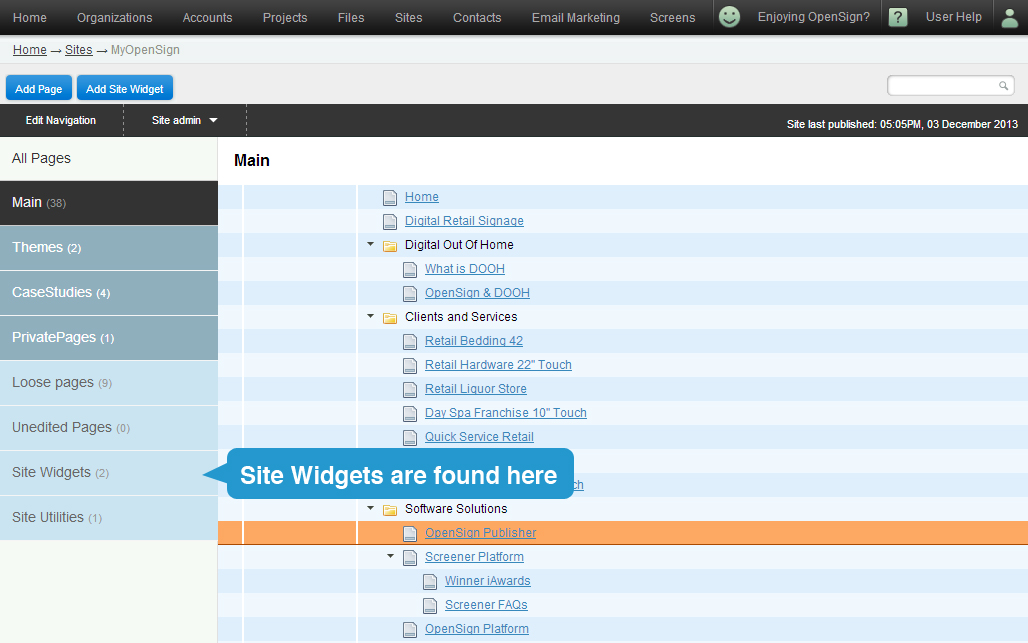
A site widget is an element that will appear across the one website, on every single nominated page.
You will find the active site widgets on the left under the navigation listing.
By clicking on the site widget, you can edit the details as you would any other Publisher page.
The only limitation is that you will not get a clear preview of what the widget will look like until it is published.
Global Widgets

Global widgets are found in the Settings of the sites manager.
A global widget is exactly the same as a site widget, except that it affects all websites in your instance.
This may be a banner, text field, or a footer that is shared by all websites of the company.
This may be relevant where one company has multiple websites, one for head office & one for each regional office, but wants to share a common element.
Important: As widgets are set up to address individual needs across multiple pages or websites, it is always best to speak with another administrator or publisher to ensure any changes you make will suit all affected parties.